Support our educational content for free when you purchase through links on our site. Learn more
25 Gamification in Education Examples 🎮

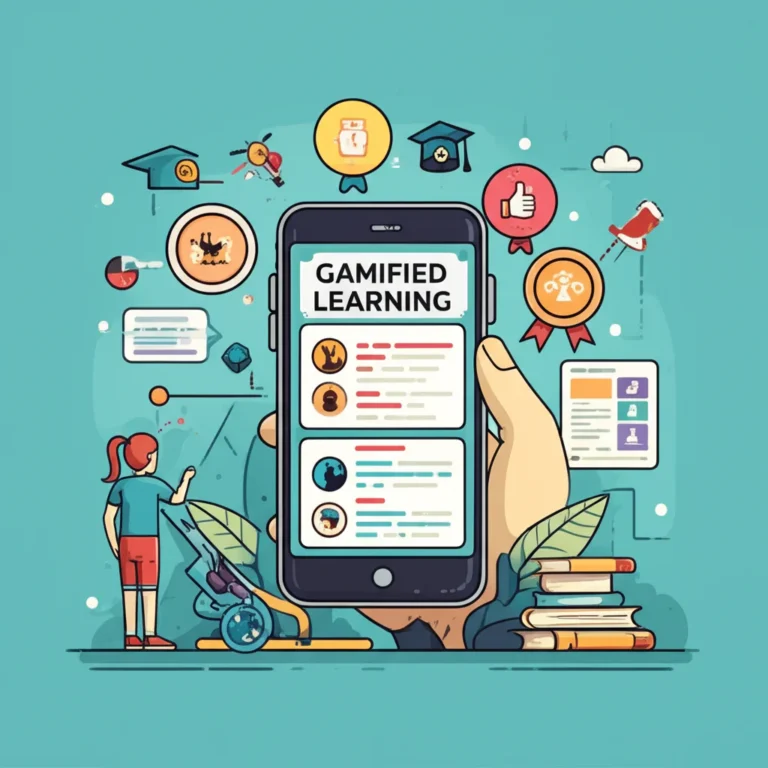
Gamification in education examples work best when game mechanics support a clear learning goal—think meaningful challenges, useful feedback, student choice, and progress students can see. Points and badges can help, but they’re supporting cast, not the teacher.
A vocabulary lesson, for instance, can become a series of short missions where students practice new words, get feedback, and retry before leveling up. No special software required: a whiteboard progress tracker and a stack of clue cards can do the trick.
Research is promising but not a guarantee. A meta-analysis found positive effects of gamification on academic performance, while other studies show that poorly matched mechanics can frustrate or distract learners. The difference often comes down to design: Does the game element help students learn—or just give them another score to chase?
Key Takeaways
- Start with the learning objective, then choose mechanics that support it.
- Use missions, levels, badges, team goals, and choice boards to make practice and progress visible.
- Keep competition low-stakes and inclusive; offer personal goals, team challenges, or private progress as alternatives to public rankings.
- Technology is optional: paper quests, classroom boards, and index cards can gamify learning, too.
- Measure learning, not just engagement—look for stronger work, improved skills, and useful student feedback.
- Build in retries, clear rules, and accessible options so mistakes become part of learning, not a reason to give up.
Table of Contents
- ⚡️ Quick Tips and Facts: Gamification in Education
- 🎓 What Gamification in Education Means
- Gamification vs. Game-Based Learning
- How Classroom Gamification Supports Learning
- 🕰️ Background: How Educational Gamification Evolved
- 🧭 How to Design Effective Gamification for Learning
- Start with Learning Objectives, Not Points
- Choose Game Mechanics That Fit Your Students
- Keep Motivation, Feedback, and Accessibility in Balance
- 🎮 25 Gamification in Education Examples for the Classroom
- 1. Award Points for Academic Learning Goals
- 2. Recognize Helpful Classroom Routines and Behaviors
- 3. Add Optional Challenges and Playful Obstacles
- 4. Build Healthy Classroom Competition
- 5. Use Progress Dashboards for Reflection
- 6. Offer a Variety of Meaningful Rewards
- 7. Organize Learning into Levels and Checkpoints
- 8. Let Students Revise and Level Up Their Grades
- 9. Create Challenges with Multiple Valid Solutions
- 10. Award Learning Badges for Demonstrated Skills
- 11. Let Students Set Personal Learning Goals
- 12. Invite Students to Take on Roles or Personas
- 13. Turn Units into Quests with Storylines
- 14. Run Time-Limited Boss Battles and Review Rounds
- 15. Use Surprise Rewards Carefully
- 16. Make Digital Leaderboards Optional and Inclusive
- 17. Give Positive-Behavior Power-Ups
- 18. Set Cooperative Class Goals
- 19. Encourage Practice with Daily Streaks
- 20. Unlock Bonus Content as Students Progress
- 21. Create Classroom Escape Rooms
- 22. Use Choice Boards and Branching Missions
- 23. Turn Formative Quizzes into Low-Stakes Games
- 24. Build a Class Economy with Responsible Choices
- 25. Use Peer Teaching and Team Missions
- 🏫 Gamification Examples by Education Level and Subject
- Elementary School Gamification Ideas
- Middle and High School Classroom Examples
- Higher Education and University Gamification
- Online Learning and Corporate Training Examples
- 🧰 Classroom Gamification Tools and Platforms
- Digital Platforms for Quizzes and Class Participation
- Learning Management Systems and Badge Tools
- Low-Tech Gamification: Paper, Cards, and Classroom Boards
- 📊 Benefits of Gamification in Education
- ⚠️ Challenges, Risks, and Common Gamification Mistakes
- Avoid Overeliance on Points and Prizes
- Prevent Unhealthy Competition and Public Shaming
- Design for Accessibility, Privacy, and Student Well-Being
- 🛠️ How to Implement Classroom Gamification Step by Step
- 📈 How to Measure the Impact of Learning Games
- 💡 Quick Tips for Better Educational Gamification
- 🔭 The Future of Gamification in Education
- Conclusion
- Recommended Links
- FAQ
- Reference Links
⚡️ Quick Tips and Facts: Gamification in Education
- Gamification adds game elements to learning activities: goals, progress, feedback, challenges, choices, and sometimes points or badges.
- Game-based learning (GBL) uses a game to teach; gamification makes an existing lesson or learning process more game-like.
- Start with the learning goal, not the leaderboard. A shiny badge cannot rescue a fuzzy objective.
- Gamification doesn’t require a screen. A classroom quest can run with paper clues, a whiteboard progress bar, and a handful of envelopes.
- Prefer rewards for mastery, progress, persistence, and helpful collaboration over rewards for simply showing up or finishing first.
- Public rankings can motivate some students and discourage others. Consider team scores, private progress, personal bests, and “most improved” recognition.
- Build in low-stakes retries and useful feedback. Failure should be a clue, not a trapdoor.
- Research generally finds positive effects on motivation and learning, but outcomes vary by design, students, and context. Gamification is a teaching strategy, not a guaranteed academic booster. See the 2020 meta-analysis by Sailer and Homner.
- For a quick companion roundup, see our guide to 9 engaging examples of gamification in education apps.
| At a glance | Practical takeaway |
|---|---|
| Best starting point | Gamify one activity, unit, or classroom routine |
| Strongest design anchor | A specific, observable learning objective |
| Helpful mechanics | Progress feedback, meaningful choices, appropriate challenge, and retries |
| Common risk | Overusing points, prizes, timers, or public leaderboards |
| Tech requirement | None; digital tools are optional |
| Useful measure of success | Evidence of learning, not just clicks or enthusiasm |
🎓 What Gamification in Education Means
Gamification in education means applying selected game-design elements to a non-game learning experience. That might mean turning a vocabulary unit into a sequence of missions, showing progress through a science project, or letting students earn a badge after demonstrating a skill.
The University of San Diego’s Professional and Continuing Education overview puts the distinction plainly: “The lesson content stays the same, but the way students move through the lessons changes.” That’s a useful test. If the activity still teaches the same objective but gives learners clearer goals, feedback, agency, or a sense of progression, you’re likely using gamification.
For more classroom applications, browse our Educational Gamification resources and Game Mechanics articles.
Gamification vs. Game-Based Learning
These terms are related, but they’re not interchangeable. In gamification, a quiz might award points and show progress. In game-based learning, students might play a simulation whose rules and systems teach the subject directly.
| Approach | What students do | Example | Main design question |
|---|---|---|---|
| Gamification | Complete learning activities enhanced with game-like elements | Earn milestones for mastering fractions | How can game mechanics support this learning task? |
| Game-based learning | Learn through playing a game designed or selected for the learning purpose | Use a simulation to explore resource management | What can students learn by interacting with this game’s model? |
As Travis Windleharth of foundry10 explains in the featured video, gamification uses “game-like elements in non-game settings,” while game-based learning treats a game as a model of the real world. The distinction matters because a leaderboard can encourage practice, but a well-designed simulation can let learners test a model. The video’s examples include Kerbal Space Program for rocketry and physics, Civilization for historical systems, and The Oregon Trail for decisions about resources and risk.
Neither approach wins every time. A short gamified retrieval-practice activity may fit tomorrow’s vocabulary lesson; a simulation may better when students need to explore a complex system. For more, see our Game-Based Learning coverage.
How Classroom Gamification Supports Learning
Well-designed gamification can make learning goals visible, give students timely feedback, and encourage them to practice. It can also help teachers structure a long project into manageable steps. But engagement is not the same as learning: students can enjoy an activity without retaining its content.
A meta-analysis by Sailer and Homner found small but statistically significant positive effects across cognitive, motivational, and behavioral outcomes, with results depending on context and design. That’s encouraging, not magical. We recommend checking both sides of the scoreboard:
- Learning evidence: quiz performance, quality of explanations, transfer to a new problem, or demonstrated skill.
- Engagement evidence: participation, persistence, time on task, or willingness to retry.
- Student experience: confidence, belonging, stress, and whether students understand the rules.
The first two tell you whether a design is working. The third tells you whether it’s working for the students in front of you.
🕰️ Background: How Educational Gamification Evolved

The ingredients are older than the name: classrooms have long used challenges, stories, role-play, team competitions, and progress tracking. Digital platforms later made it easier to add points, badges, levels, and automatic feedback. The underlying design question remained the same: How can we help learners see a goal, make meaningful progress, and learn from what happens next?
In higher education, the University of Chicago’s Academic Technology team describes approaches ranging from quick trivia and virtual scavenger hunts to extended role-playing and community quests. Their examples show that gamification can be brief or semester-long, low-tech or highly digital. It doesn’t need to resemble a video game to be useful.
The University of Chicago article also notes that games and learning can share features such as goals, exploration, collaboration, competition, and learning from failure. The important word is can. A timer or badge is only useful when it supports the educational purpose rather than distracting from it.
🧭 How to Design Effective Gamification for Learning
A good gamified lesson is not a regular lesson wearing a cardboard crown. Its mechanics should help students practice, make decisions, receive feedback, and understand what progress means. Our Gamification and UX Design articles explore how clear rules and thoughtful interaction shape the experience.
Start with Learning Objectives, Not Points
Write down what students should know or be able to do. Make that outcome specific enough to observe.
Weak objective: “Students will understand ecosystems.”
Stronger objective: “Students will use evidence from a food web to predict how removing one species affects at least two other populations.”
Then choose a mechanic that helps students practice the target skill. A team quest could ask students to defend a prediction with evidence; a progress tracker could show which ecosystem concepts they have mastered.
Use this quick design check:
- Name the learning outcome. What should a student demonstrate?
- Identify the practice behavior. What will help them get there?
- Choose a mechanic. Would a mission, choice, progress bar, role, or feedback loop help?
- Define success. What evidence will show learning?
- Check for friction. Could the rules, timer, technology, or competition get in the way?
A useful rule from the classroom examples summarized by TeachThought is to identify the actions students need to practice, then design incentives around those actions. We’d add one safeguard: reward evidence of learning or constructive practice, not empty activity.
Choose Game Mechanics That Fit Your Students
Mechanics are tools, not a checklist. Pick the smallest set that supports the lesson.
| Learning need | Mechanics to consider | Example |
|---|---|---|
| Help students see long-term progress | Levels, checkpoints, progress bars | Show completed stages in a research project |
| Encourage thoughtful practice | Quests, retries, specific feedback | Retry an equation after reviewing a hint |
| Give students agency | Choice boards, branching missions | Select one of three ways to demonstrate understanding |
| Support community | Team goals, peer roles, cooperative challenges | Class earns progress by combining research findings |
| Recognize demonstrated skill | Badges, portfolios, certificates | Award a badge for a validated coding skill |
| Make review lively | Quiz rounds, puzzles, timed challenges | Use an untimed team quiz to review vocabulary |
Don’t choose a mechanic just because a platform offers it. A leaderboard may be easy to switch on; that does not make it the right fit for a class where students are at very different starting points.
Keep Motivation, Feedback, and Accessibility in Balance
A strong design offers challenge without making the rules mysterious. Students should know what counts, how to improve, and what happens after a mistake.
- Make criteria transparent: Share the rules and what successful work looks like.
- Give actionable feedback: “Your answer needs a second piece of evidence” is more useful than “Wrong.”
- Allow retries: Use mistakes to guide another attempt.
- Offer multiple routes to success: Students can show learning through different activities, formats, or roles.
- Design accessibly: Offer non-digital alternatives, make timers adjustable, and avoid relying on color alone to communicate essential information.
- Protect student privacy: Keep individual performance data private where appropriate and follow school policies for educational technology.
The U.S. Department of Education’s National Educational Technology Plan emphasizes technology’s potential alongside the need to address unequal access. A game mechanic that depends on every student having a personal device and reliable internet is not a fair classroom mechanic unless that access is actually available.
🎮 25 Gamification in Education Examples for the Classroom
Below are 25 adaptable ideas. Use them as building blocks, not a giant checklist. One well-designed mechanic is better than a classroom stuffed with points, badges, timers, and a suspiciously large number of cartoon dragons.
The examples draw on classroom practice summarized by TeachThought, the University of San Diego, and the University of Chicago. Adapt difficulty, competition, and rewards for your students and learning goals.
1. Award Points for Academic Learning Goals
Award points for demonstrated practice or mastery, not for arbitrary activity. Students might earn points for solving multi-step equations with a clear explanation or using relevant evidence to support a claim.
Example: In a vocabulary unit, students earn progress for using target words accurately in writing and conversation. Points show progress toward a learning milestone; they do not substitute for feedback.
Watch out: If students focus on accumulating points rather than learning the material, the points have become the lesson. Keep the learning criteria visible.
2. Recognize Helpful Classroom Routines and Behaviors
Recognize behaviors that help learning happen: preparing materials, supporting a peer, asking a thoughtful question, or persisting through a challenge. Keep these separate from academic grades so behavior rewards don’t blur the meaning of assessment.
A useful system recognizes what a student did and why it helped: “You shared your notes so your group could keep investigating.” Avoid taking earned points away as punishment; positive recognition is generally a more constructive feedback loop.
3. Add Optional Challenges and Playful Obstacles
Add optional “side quests” for students who want extra practice or a stretch challenge. In language learning, a quest might involve using five newly learned phrases in a short dialogue. In science, students could compare two explanations using a new data set.
Helpful design: Make the optional challenge genuinely optional, and avoid making core learning inaccessible to students who don’t complete it. Give clues or hints so a barrier feels like a puzzle, not a dead end.
4. Build Healthy Classroom Competition
A team math challenge can add energy to review, especially when students earn points for clear reasoning, careful checking, and collaboration—not speed alone. Rotate teams and reset scores often so one early lead does not become an entire term’s plotline.
Consider alternatives to ranking every student:
- Team standings instead of individual standings
- “Most improved” or “best explanation” recognition
- Private progress against a student’s own previous work
- Student-selected nicknames
- An option to participate without appearing on a public board
The University of San Diego’s guidance similarly recommends thoughtful leaderboard design. Competition can motivate, but it should not make public comparison the price of participation.
5. Use Progress Dashboards for Reflection
A progress display helps students see what they have completed and what comes next. For a reading goal, students might track books read or pages explored; a science group could track experiments and reflections.
At each checkpoint, ask students to reflect:
- What have I learned so far?
- Which part still feels difficult?
- What will I try next?
Progress is more than a percentage. A good dashboard points toward a useful next step, rather than simply announcing that a student is 62% done.
6. Offer a Variety of Meaningful Rewards
Rewards can be privileges, choices, recognition, helpful roles, or access to bonus challenges. Examples include choosing a review question, selecting a class reading, or taking the role of discussion facilitator.
Try to make the reward support agency and learning. A small choice can be more meaningful than a pile of tokens. The research is not a blanket endorsement of prizes: a meta-analysis by Deci, Koestner, and Ryan found that some tangible rewards tied to participation or completion can undermine intrinsic motivation, while positive feedback can support interest. The effect depends on the reward and context, so don’t assume every prize will help.
7. Organize Learning into Levels and Checkpoints
Break a large unit into smaller stages with clear criteria. A writing sequence might progress from planning to drafting, revision, and publication. A math unit could include checkpoints for core skills before students tackle a combined challenge.
Levels should communicate what students can do, not just how long they have been in the class. If a learner needs more time one stage, provide practice and feedback without making the system feel like a locked door.
8. Let Students Revise and Level Up Their Grades
A mastery-oriented system can let students revise work after feedback and demonstrate stronger understanding later. Students might complete a “recovery quest” by correcting an assessment, explaining the original misconception, and solving a parallel problem.
This is not automatically the same as changing your grading policy. Teachers should follow school rules and communicate assessment criteria clearly. The design principle is that assessment should give useful information about learning, and students should have a reasonable path to improve.
9. Create Challenges with Multiple Valid Solutions
Offer open-ended challenges where students can defend different approaches. In a design task, teams could build a paper bridge under a material limit and explain how their design distributes weight. In history, students could compare multiple interpretations of a primary source.
Award recognition for the quality of reasoning, evidence, creativity, or testing. This avoids turning every challenge into a single-answer speed contest and gives students a chance to learn from one another’s strategies.
10. Award Learning Badges for Demonstrated Skills
A badge can represent a skill students can explain or demonstrate: debugging a program, citing evidence, or giving constructive peer feedback. Make the criteria explicit. A “CSS Pro” badge should mean something more than “opened the CSS activity.”
Digital badges can be created with Canva, while many learning management systems support recognition features or integrations. Keep badges useful by tying them to a portfolio or specific evidence of learning.
11. Let Students Set Personal Learning Goals
Ask students to choose a goal that is challenging but achievable, such as reading regularly, improving a skill, or contributing more often to group discussion. Check in periodically and let students revise goals when new information emerges.
A personal goal can reduce unhelpful comparisons because progress is measured against a student’s own starting point. Help learners make goals specific: “I’ll practice ten minutes on three days this week” is easier to act on than “I’ll get better at math.”
12. Invite Students to Take on Roles or Personas
Assign roles that make students responsible for different parts of a shared activity. A science team might include a data analyst, evidence checker, materials manager, and presenter. In a history unit, students can represent different stakeholders in a structured debate.
Roles should rotate so students get opportunities to practice multiple skills. Avoid assigning identities that stereotype students or constrain who gets to lead.
13. Turn Units into Quests with Storylines
A storyline gives a sequence of activities a purpose. Students might investigate a mystery by analyzing text clues, study geography to plan an expedition, or use scientific evidence to solve a fictional environmental problem.
A useful story is connected to the subject. If the narrative adds lots of reading but no learning value, it may be more decorative than educational. Keep the story simple enough that students remember the real mission: the learning objective.
14. Run Time-Limited Boss Battles and Review Rounds
A “boss battle” is a culminating challenge that brings together skills students have practiced. For a class review, draw a friendly “Mighty Molecule” with a health bar; each correct explanation removes a segment. For a math unit, teams might solve a sequence of problems that build one another.
Offer untimed or extended-time options when speed is not the skill being assessed. Timers can add energy, but they can also add stress and make the activity measure speed rather than understanding.
15. Use Surprise Rewards Carefully
A mystery envelope can hold a choice of challenge, a hint, or a role for the next activity. Keep the surprise playful, but make the rules and consequences predictable. Students should not have to gamble for access to essential learning, and random rewards should never determine grades.
Use surprise to add variety—not to make students wonder whether the system is fair.
16. Make Digital Leaderboards Optional and Inclusive
A digital leaderboard can show team progress during a review round. It can also make a struggling student feel permanently behind if scores accumulate publicly. Use leaderboards for short, low-stakes activities, and offer private or team-based alternatives.
With tools such as Kahoot!, consider whether scoring should emphasize accuracy, collaboration, or just speed. If speed isn’t part of the learning target, lower the timer pressure or turn it off where possible.
17. Give Positive-Behavior Power-Ups
A power-up could give a team an extra hint, a chance to check answer, or a choice between two challenge paths. Let students earn it through a learning behavior such as explaining a strategy or giving a peer useful feedback.
Keep the benefit small and transparent. Power-ups should support learning, not let a student bypass the work or gain an unfair advantage.
18. Set Cooperative Class Goals
Create a shared goal, such as completing a set of peer reviews or collecting evidence from every team’s science investigation. Track group progress with a simple class thermometer or board.
Coperative goals can make contribution visible without ranking students against one another. Make sure every student has a meaningful way to contribute, including learners who may need a different format or more time.
19. Encourage Practice with Daily Streaks
A streak can encourage a regular habit, such as reading, language practice, or short retrieval practice. But missing a day should not erase a student’s sense of progress. Offer “rest days,” weekly targets, or recovery options.
Duolingo is a familiar example of using streaks and other progress mechanics in language learning. For a classroom version, consider a weekly practice goal rather than an unbroken daily chain. The aim is learning, not maintaining a flawless calendar.
20. Unlock Bonus Content as Students Progress
Offer optional bonus content after students complete a foundational stage. It might be an advanced puzzle, an additional reading, a creative extension, or a deeper investigation.
Keep core instruction available to everyone. Bonus content should extend learning, not hide essential information behind a game mechanic.
21. Create Classroom Escape Rooms
An escape room strings together puzzles that students solve using course concepts. In a science version, students might interpret data, decode a vocabulary clue, and use a final model to “open” the next stage. Digital escape rooms can be built with tools such as Google Forms or Genially.
A good sequence uses subject knowledge rather than random locks and codes. Test every clue before class, provide accessible alternatives, and make sure one confusing puzzle doesn’t block the entire group.
22. Use Choice Boards and Branching Missions
A choice board lets students select from several ways to practice or demonstrate learning. For example, students could explain a concept in a short presentation, create a diagram, or solve a set of problems.
Choices should be comparable in learning value, even if the formats differ. If you assign point values, explain what those points represent and ensure students can reach the learning goal without choosing the most time-consuming option.
23. Turn Formative Quizzes into Low-Stakes Games
Use a short quiz game to identify what students understand and what needs reteaching. Platforms such as Kahoot!, Wayground, Blooket, and Gimkit can add interactive formats to practice.
The key is what happens after the quiz. Review common misconceptions, explain answers, and give students a chance to try again. A fast score without reflection is just a scoreboard with questions attached.
24. Build a Class Economy with Responsible Choices
A classroom economy can give students tokens for meaningful contributions and let them exchange tokens for choices or classroom privileges. If you use one, make the rules simple and avoid tying access to essential resources or privileges to a student’s ability to earn tokens.
Keep the system fair: students should have multiple ways to participate, and basic classroom needs should never be treated as prizes.
25. Use Peer Teaching and Team Missions
Set a team mission where students research a concept, teach it to classmates, and answer questions. Give roles such as explainer, evidence checker, question writer, and connector. Then rotate roles in the next round.
This turns collaboration into a visible part of the challenge. Assess the accuracy of the teaching as well as the teamwork; a polished presentation is not proof that every student understood the content.
🏫 Gamification Examples by Education Level and Subject
The right design depends on students’ ages, subject matter, learning goals, and classroom context. A timed quiz may suit a brief review and be a poor fit for a lesson focused on careful reasoning. Use these examples as starting points and check them against your students’ needs.
| Setting | Example mechanic | Learning focus |
|---|---|---|
| Early elementary | Sight-word passport and reading milestones | Reading fluency and practice |
| Upper elementary | Multiplication boss battle | Retrieval practice and number fluency |
| Middle school | Civic-rights puzzle quest | Reading, reasoning, and evidence |
| High school | Physics design challenge | Applying models and explaining results |
| Higher education | Role-play debate or course quest | Research, synthesis, and communication |
| Online learning | Module checkpoints and peer missions | Progress, participation, and reflection |
Elementary School Gamification Ideas
For younger students, keep rules concrete and visual. A reading passport can collect stamps for reading and discussing books. In a science unit, teams might advance a “mission to Mars” by completing activities on planets, gravity, and the solar system.
Give recognition for effort and helpful collaboration, while keeping academic criteria clear. A sticker can mark a milestone, but the learning goal should still be evident in what students can read, explain, or do.
Middle and High School Classroom Examples
Older students can work with more complex choices, roles, and storylines:
- Social studies: Solve a clue-based challenge using historical documents.
- Science: Build and test a design, then explain the evidence behind revisions.
- World languages: Progress from basic phrases to a role-play conversation.
- Civics: Compare policy proposals through a structured debate.
- Computer science: Earn skill badges for writing, testing, and debugging code.
Make evaluation criteria transparent. A student should know whether the challenge rewards accuracy, quality of reasoning, creativity, collaboration, or some combination.
Higher Education and University Gamification
In higher education, gamified elements can support independent practice, community-building, and course participation. The University of Chicago’s Academic Technology guide describes approaches such as trivia, scavenger hunts, collaborative writing, role-playing, and escape rooms.
Its longer-form examples include Reacting to the Past, a role-playing format where students pursue character goals through speeches, papers, or presentations, and ECHO, a community-building game built around team quests. These examples show how an instructor can adapt individual game elements without building an entire game from scratch.
Online Learning and Corporate Training Examples
Online courses can use module progress bars, low-stakes quizzes, discussion missions, peer feedback, and badges tied to demonstrated competencies. For a team training course, learners might complete scenarios, explain decisions, and reflect on what they would do differently.
Keep the experience usable across devices and make instructions easy to find. A game mechanic that depends on fast responses may disadvantage learners with accessibility needs, limited bandwidth, or different schedules. Asynchronous alternatives can preserve the goal without forcing everyone into the same live session.
🧰 Classroom Gamification Tools and Platforms
Choose tools based on learning goals, school approval, accessibility, and student-data requirements—not just the flashiest game mode. You can also run a strong gamified lesson with paper, cards, and a whiteboard.
| Tool | Useful for | Considerations |
|---|---|---|
| Kahoot! | Live quizzes and review | Timed play and public scoring may add pressure |
| Wayground | Interactive quizzes and student-paced practice | Check school access and available features |
| Blooket | Game-style review rounds | Keep the subject questions central |
| Gimkit | Repeated practice with game modes | Set clear limits so upgrades don’t overshadow learning |
| ClassDojo | Classroom communication and behavior feedback | Use behavior data thoughtfully and privately |
| Sesaw | Student portfolios and sharing work | Confirm school policies for student accounts |
| Canva | Creating badges, trackers, and classroom materials | Design visuals that are readable and accessible |
| Google Forms | Digital clue sequences and quizzes | Test links, accessibility, and answer flow |
| Padlet | Sharing ideas, clues, and work | Review privacy and moderation settings |
| Moodle / Canvas | Course structure, progress, and integrations | Features depend on setup and school configuration |
Digital Platforms for Quizzes and Class Participation
Use quiz platforms to check understanding, surface misconceptions, or encourage retrieval practice. Before a live game, decide whether speed is part of the lesson. If not, use a student-paced mode or extend response time.
For students without reliable devices, offer a paper response option or run the activity in teams with shared materials. Technology should lower barriers to learning, not create new ones.
Learning Management Systems and Badge Tools
Learning management systems can organize modules, track course progress, and connect badges or achievement tools. Moodle includes a badge feature, and Canvas may support credential tools and integrations depending on institutional setup.
Keep the badge criteria visible and attach evidence where possible. A digital icon is much more useful when students can explain the skill it represents and point to work that demonstrates it.
Low-Tech Gamification: Paper, Cards, and Classroom Boards
Low-tech formats can be fast to set up and easy to adapt:
- Use index cards for question categories or mission clues.
- Make passports for learning-station milestones.
- Draw a class progress bar on the board for a shared goal.
- Use dice to choose a practice category.
- Put optional challenges in mystery envelopes.
- Ask teams to add a sticky note to an achievement wall when they can explain a new skill.
The University of San Diego highlights that gamification does not depend on technology. We agree: the engine is the design of the learning experience, not the number of screens in the room.
📊 Benefits of Gamification in Education
Gamification can help students understand what they are working toward, see progress, get more feedback, and persist through a sequence of practice. It may also give teachers a clearer structure for reviewing participation and identifying where learners need support.
A meta-analysis by Bai, Hew, and Huang reported a positive overall effect of gamification on academic performance. A separate review of Kahoot! research found positive outcomes across learning performance, classroom dynamics, and student and teacher attitudes, while also documenting variation between studies.
| Potential benefit | How a mechanic can help | Evidence to check |
|---|---|---|
| Clearer goals | Missions and milestones make next steps visible | Can students explain the goal? |
| More feedback | Quizzes and retries reveal misconceptions | Are errors corrected or only scored? |
| Practice and persistence | Progression encourages repeated attempts | Do students improve on later attempts? |
| Student agency | Choice boards offer different routes | Do options reach comparable learning goals? |
| Collaboration | Team missions assign shared responsibilities | Does each learner contribute meaningfully? |
| Reflection | Progress reviews prompt next-step planning | Can students describe what they learned? |
A classroom practitioner featured by TeachThought reported substantial changes in student participation and achievement in his own teaching context. Those figures are a practitioner’s experience, not proof that the same outcome will occur in every classroom. Use them as an example worth investigating, not as a promise.
⚠️ Challenges, Risks, and Common Gamification Mistakes
The most common design mistake is treating more game elements as better design. Students may enjoy a novelty round, but a system can lose its appeal or become stressful if it relies on constant competition, compulsory rewards, or confusing rules.
Research gives us a useful caution. In a semester-long study, Hanus and Fox found lower motivation, satisfaction, and final exam performance in a gamified course than in a comparison course. That does not prove gamification is harmful in general; it shows that poorly matched mechanics can create unwanted effects. Other studies and meta-analyses report positive outcomes, which is why context and design matter.
Avoid Overeliance on Points and Prizes
Points are useful when they clarify progress or provide feedback. They are less useful when students chase a score without understanding the learning behind it. Prizes can also shift attention from the activity to the reward.
Try this instead:
- Tie recognition to specific, visible skills.
- Use points as one form of feedback, not the only feedback.
- Offer meaningful choices and opportunities for mastery.
- Ask students whether the system helps them focus or distracts them.
- Revisit the design when participation becomes reward-seking rather than learning-focused.
Prevent Unhealthy Competition and Public Shaming
Publicly displaying low scores can undermine confidence and belonging. Competition can also reward speed when the lesson is meant to assess accuracy, thoughtfulness, or collaboration.
Use team challenges, short-term score resets, private progress displays, and personal-best goals. Do not make participation in a public ranking the only way to engage. If competition makes some learners withdraw, that is feedback about the system—not a character flaw in the students.
Design for Accessibility, Privacy, and Student Well-Being
Before using a digital platform, check school policies, data collection, and account requirements. The U.S. Department of Education’s student privacy resources provide guidance on protecting educational data.
For accessible participation:
- Offer a non-digital route when practical.
- Provide more time when speed is not a learning objective.
- Use text labels as well as color or icons.
- Check whether the activity works with assistive technology.
- Provide clear instructions and sample rounds.
- Avoid asking students to disclose sensitive personal information as part of a challenge.
🛠️ How to Implement Classroom Gamification Step by Step
Start small. One gamified activity can show you what students respond to before you build a full-unit quest.
- Choose one learning objective. Make it observable and specific.
- Identify the practice students need. Are they recalling, explaining, applying, comparing, or creating?
- Pick one or two mechanics. For example, a quest plus progress markers, or a team goal plus reflection.
- Write simple rules. Explain how to participate, what counts, and how feedback works.
- Plan for retries and support. Add hints, examples, or a second attempt.
- Check accessibility and privacy. Confirm tools, devices, time, and alternatives.
- Run a small pilot. Try the activity with one lesson or group.
- Collect evidence. Look at student work and learning outcomes, not just game scores.
- Ask students what helped. Find out what felt motivating, confusing, or unfair.
- Adjust and repeat. Keep mechanics that support learning; remove the ones that don’t.
Anecdotally, our team has seen teachers get better results by simplifying a design after the first run. One classroom activity began with points, badges, timed rounds, and team rankings. Students were so busy tracking the mechanics that the content became background music. The next version kept the team mission and added clearer feedback. Fewer moving parts, better learning conversations.
📈 How to Measure the Impact of Learning Games
Measure the learning objective directly. A lively classroom can be a positive sign, but it does not establish that students learned more.
| Question | Possible measure |
|---|---|
| Did students learn the target skill? | Pre/post assessment, rubric, demonstration, or work sample |
| Did they improve after feedback? | Compare first and later attempts |
| Did the activity support persistence? | Track retries and completion alongside work quality |
| Did students understand the system? | Ask them to explain rules and next steps |
| Did it support inclusion? | Check participation across formats and student groups |
| Was motivation sustained? | Collect short surveys and observe engagement over time |
Keep the comparison fair. If you change the lesson, assessment, and rewards all at once, it will be hard to tell what made the difference. When feasible, compare student work before and after the activity, and ask students how the experience affected their confidence and choices.
💡 Quick Tips for Better Educational Gamification
- Make the goal visible: Students should know what skill they are practicing.
- Keep the rules short: Explain the activity without needing a second activity to explain it.
- Reward progress and mastery: Don’t make speed the default measure of success.
- Let students retry: Give feedback that helps them decide what to change.
- Offer choices: Different paths can support different strengths.
- Use competition sparingly: Team goals and personal progress often feel safer.
- Plan for access: Paper and low-tech alternatives can be just as engaging.
- Ask learners: Their feedback can reveal problems a teacher may not see.
- Check learning, not just excitement: A cheerful room is lovely; evidence of understanding is the prize.
🔭 The Future of Gamification in Education
Educational gamification is likely to keep expanding through adaptive platforms, digital badges, simulations, and AI-supported feedback. The opportunity is not simply to make software more game-like. It is to make practice more responsive, give students useful feedback sooner, and provide teachers with better insight into what learners need.
The same design principles still apply: clear goals, meaningful choices, accessible participation, and evidence of learning. A sophisticated platform can help, but it cannot replace sound teaching. Sometimes the most effective quest is still a good question, a thoughtful conversation, and one more chance to try.