Support our educational content for free when you purchase through links on our site. Learn more
9 Ways to Gamify Learning Experiences 🎮

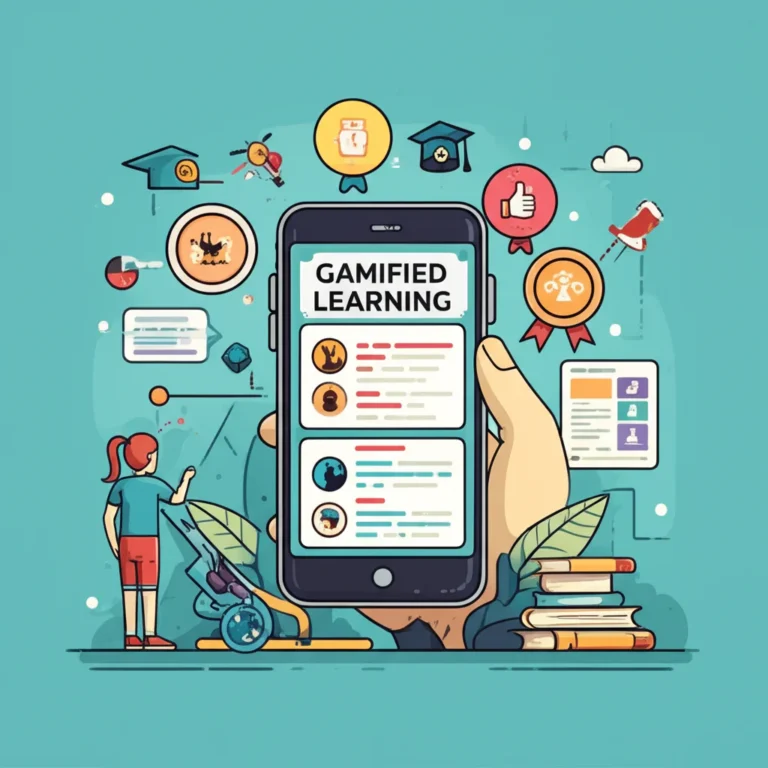
Gamify learning experiences by connecting game mechanics to clear learning goals—not by adding points and hoping the lesson gets more exciting. Quizzes, missions, progress markers, and rewards can help learners practice and see how far they’ve come when each feature supports a real skill.
We’ve seen a simple progress map make a long training course feel more manageable. But the best designs go beyond “You earned a badge!”: they give learners useful feedback, room to try again, and a reason to put new knowledge into practice.
So which mechanics help—and which turn learning into a points-chasing side quest? These nine strategies show how to choose, design, and measure gamified learning that keeps the learning—not the leaderboard—in the lead.
Key Takeaways
- Start with learning outcomes. Pick mechanics that support practice, feedback, collaboration, or real-world application.
- Use rewards with purpose. Points, badges, levels, and certificates should recognize meaningful progress—not every click.
- Treat competition as optional. Personal-best goals and team challenges can motivate without putting every learner on public display.
- Design for access and inclusion. Give learners clear rules, useful feedback, and alternatives to unnecessary time pressure.
- Measure learning, not just activity. Pair engagement data with assessments, retention checks, and evidence of real-world skill.
Table of Contents
- ⚡ Quick Tips and Facts
- 🎮 Gamified Learning Explained: What It Is and How It Works
- Gamification vs. Game-Based Learning
- Why Game Mechanics Can Support Learning
- 📚 The Evolution of Gamification in Education and Training
- 🧠 Learning Science Behind Effective Gamification
- Motivation: Autonomy, Mastery, and Purpose
- Feedback, Practice, and Memory
- 🛠️ 9 Strategies to Gamify Learning Experiences
- 1. Set Clear Learning Goals and Rules
- 2. Add Game-Based Quizzes and Knowledge Checks
- 3. Use Points and a Meaningful Scoring System
- 4. Design Levels, Challenges, and Checkpoints
- 5. Show Progress with Progress Bars and Learning Maps
- 6. Offer Badges, Certificates, and Recognition
- 7. Use Leaderboards Carefully
- 8. Add Storytelling, Missions, and Scenarios
- 9. Reward Exploration with Unlockable Content and Virtual Currency
- ⏱️ Quiz Timers, Streaks, and Other Mechanics: When to Use Them
- 🏫 Gamified Learning Examples by Setting
- K–12 Classrooms and Higher Education
- Employee Training and Onboarding
- Online Courses and Self-Paced Learning
- Language Learning and Skills Practice
- 🧩 How to Design an Effective Gamified Learning Experience
- Choose the Right Audience, Behaviors, and Outcomes
- Map the Learner Journey
- Select Mechanics That Fit the Learning Goals
- Build for Accessibility, Inclusion, and Different Motivations
- 💻 Gamified Learning Platforms and Tools
- Classroom Platforms and Quiz Tools
- Learning Management Systems and Corporate Training Tools
- Choosing the Right Gamification Software
- 📊 Measuring Learning Outcomes and Engagement
- Learning Analytics and Key Metrics
- Testing Retention and Real-World Transfer
- A/B Testing and Improving the Experience
- ⚠️ Common Gamification Mistakes and How to Avoid Them
- 💡 Quick Tips for Better Gamified Learning
- 🔮 Trends Shaping the Future of Gamified Learning
- ✅ Conclusion
- 🔗 Recommended Links
- ❓ FAQ
- Does gamification improve learning outcomes?
- What are the best game mechanics for learning?
- How can you gamify learning without using technology?
- Are leaderboards effective for every learner?
- How do you measure the success of learning gamification?
- 📖 Reference Links
⚡ Quick Tips and Facts
Gamify learning experiences by connecting game-like mechanics to real learning goals—not by sprinkling points over a dull lesson and hoping for fireworks. 🎮
Our Gamification Hub™ guide to gameful design vs. gamification examples is a useful starting point: gamification adds game-design elements to a learning experience, while gameful design shapes the experience around qualities people enjoy in games, such as choice, challenge, and a sense of progress.
| Quick fact | What it means for your design |
|---|---|
| Learning comes first. | Choose a mechanic because it helps learners practice, get feedback, or make progress—not because it looks fun in a feature list. |
| A game is not required. | Points, missions, progress bars, and badges can support a regular course. A complete game-based learning activity is a different approach. |
| Competition is optional. | Leaderboards may energize some learners and discourage others. Personal-best goals and team challenges offer alternatives. |
| Feedback should be useful. | “Wrong” is a verdict. “Check the second step; the formula changes when the variable is negative” is instruction. |
| Rewards are not the lesson. | Recognition can help, but learners still need clear goals, sound teaching, relevant practice, and time to reflect. |
| Measure learning, not just clicks. | Completion and participation matter, but pair them with assessments, retention checks, and real-world performance. |
- ✅ Try: one clear mission, short practice rounds, timely feedback, and a visible progress indicator.
- ❌ Avoid: speed bonuses on complex tasks, public rankings without learner choice, and points for activity that has no learning value.
- 🔍 Keep reading: we’ll look at why several popular mechanics work for some learners but backfire for others—and how to tell the difference with evidence.
For more practical ideas, explore our Educational Gamification, Game Mechanics, and Game-Based Learning collections.
🎮 Gamified Learning Explained: What It Is and How It Works
Gamified learning applies selected game-design elements—such as challenges, progress, feedback, points, or narrative—to educational activities that are not themselves necessarily games. The aim is to support meaningful learning behaviors: practicing a skill, revisiting difficult material, collaborating, or applying knowledge.
That distinction matters. A leaderboard is not a learning strategy on its own. It becomes useful only when it helps learners pursue a worthwhile goal and understand what to do next.
Gamification vs. Game-Based Learning
These approaches overlap, but they are not interchangeable:
| Approach | What learners do | Example |
|---|---|---|
| Gamification | Complete a conventional learning activity with game-like elements added. | Learners earn progress markers for completing spaced vocabulary practice. |
| Game-based learning | Learn through playing a game designed or selected for an educational purpose. | A class uses Minecraft Education to model ecosystems or a simulation to practice decision-making. |
| Serious games | Play a purpose-built game with an instructional, training, or professional objective. | Employees rehearse safety decisions in a scenario-based simulation. |
The University of Colorado Denver’s Center for Faculty Development describes gamification as incorporating game elements into non-game contexts. For a broader look at designing actual games for learning, visit our Game-Based Learning category.
A practical test: if the learner is doing the same type of lesson but earning points or advancing through levels, that is usually gamification. If the learner must play a game to engage with the content or meet the learning objective, it is closer to game-based learning.
Why Game Mechanics Can Support Learning
Well-chosen mechanics can make learning goals visible and practice easier to sustain. A challenge can focus attention; feedback can reveal a misconception; progression can show that a complex skill is becoming manageable.
The National Academies’ review of learning science emphasizes that learning depends on what people already know, the context in which they learn, and how they use knowledge. In practice, that means a game mechanic should fit the learner and the task—not simply copy the style of a popular app.
The Centrical guide to gamification for learning similarly treats game elements as support for instruction, not a replacement for it. That’s the sensible middle ground: engagement is useful when it brings learners into meaningful practice. A bright badge cannot rescue unclear instruction any more than confetti can repair a leaky roof.
📚 The Evolution of Gamification in Education and Training
The modern label is newer than many of its ingredients. Teachers and trainers have long used challenges, team contests, puzzles, role-play, achievement marks, and progress tracking to help people practice and persist. Digital learning platforms made those elements easier to automate and display at scale.
Today’s learning experiences may combine classroom activities, mobile apps, simulations, and learning management systems. The International Training Centre of the International Labour Organization (ITCILO), for example, describes a customizable course intended to help trainers use gamification in blended and online training. Its stated aim is to create dynamic environments that encourage active participation and support knowledge retention.
The design challenge has also changed. When a course includes notifications, points, badges, and leaderboards by default, the question is no longer “Can we add game elements?” It is “Which elements make this particular learning experience better?”
Our Gamification Case Studies offer examples of how teams apply mechanics in real settings. Look for the context behind each result: audience, goals, activity, and how learning was measured. A feature that works beautifully in voluntary product training may feel very different in a mandatory compliance module.
🧠 Learning Science Behind Effective Gamification
Gamification is a design choice, not a magic ingredient. It works best when its mechanics support the conditions people need to learn: a clear purpose, appropriately challenging practice, feedback, and opportunities to apply and revisit knowledge.
Motivation: Autonomy, Mastery, and Purpose
A useful framework comes from self-determination theory. In a review of the research, psychologists Richard Ryan and Edward Deci discuss the roles of autonomy, competence, and relatedness in motivation (American Psychologist).
In learning design, that can translate to:
- Autonomy: let learners choose an order, mission, practice format, or difficulty when those choices do not compromise the learning objective.
- Competence: provide achievable challenges, useful feedback, and visible progress.
- Relatedness: support collaboration, peer encouragement, or a shared goal without forcing public competition.
This is why a choice of practice route can be more motivating than a pile of points. Learners feel some ownership over how they approach the work. For more on mechanics and experience design, see our Gamification and UX Design category.
Feedback, Practice, and Memory
Practice helps learners find out what they can do—and what still needs work. Feedback makes that practice more informative. In the U.S. Department of Education’s review of online learning research, the authors caution that learning outcomes reflect the combination of instructional conditions rather than the delivery medium alone (Evaluation of Evidence-Based Practices in Online Learning).
Use game-like feedback to explain:
- What happened: the answer was correct, incomplete, or based on a particular misconception.
- Why it matters: connect the response to the learning objective.
- What to try next: give a hint, another practice item, or a chance to revise.
A score with no explanation can tell learners they lost the round. Feedback can tell them how to win the knowledge.
🛠️ 9 Strategies to Gamify Learning Experiences
The following strategies are building blocks, not a shopping list. Choose only the mechanics that reinforce your learning goals and suit your learners.
1. Set Clear Learning Goals and Rules
Start by describing what learners should be able to do, not merely what they should finish. “Complete five screens” is a tracking target; “identify three warning signs and choose the correct response” is a learning objective.
Then tell learners:
- What success looks like.
- Which activities count toward progress.
- Whether they can retry or use hints.
- How points, badges, or levels are earned.
- What happens when they make a mistake.
Design tip: test the instructions with someone outside the project team. If they ask, “What am I actually supposed to do?” the rules are not ready.
2. Add Game-Based Quizzes and Knowledge Checks
A quiz can become more engaging through themed questions, rounds, team play, or a light narrative. But keep the core assessment aligned to the skill: a colorful word search will not measure whether someone can safely perform a procedure.
Possible formats include:
- Retrieval-practice rounds with immediate explanations.
- Matching terms to examples.
- Scenario decisions with branching consequences.
- Team quizzes where learners explain their reasoning.
- Review games using familiar formats such as Jeopardy!-style categories.
For a quiz platform, Kahoot! and Quizz provide game-like quiz experiences; check each product’s current features against your needs. You can also browse our Educational Gamification articles for classroom-oriented approaches.
Mitti’s examples include elevator games, image-and-word matching, letter jumbles, and quiz templates (SafetyCulture’s Mitti overview). These formats can add variety, but the learning value depends on the questions and feedback, not the game wrapper.
3. Use Points and a Meaningful Scoring System
Points work best as a signal of useful progress. Award them for demonstrating a skill, improving on a previous attempt, completing spaced practice, or helping a team solve a problem.
| Scoring choice | Potential benefit | Watch out for |
|---|---|---|
| Points for correct answers | Simple and easy to explain. | Can reward guessing if there is no feedback or retry. |
| Points for improvement | Recognizes practice and growth. | Define improvement fairly for learners starting at different levels. |
| Team points | Can encourage collaboration. | Avoid letting a few people do all the work. |
| Mastery points | Ties rewards to demonstrated competence. | Requires reliable criteria and useful reassessment. |
Avoid turning every click into a point. That teaches learners to chase clicks. If an activity is important, give it a meaningful reason to matter.
4. Design Levels, Challenges, and Checkpoints
Levels can break a large course into manageable stages. Use them to represent meaningful development—not arbitrary page counts.
A well-designed sequence might move from:
- Recognize: identify a concept or hazard.
- Explain: describe why it matters.
- Apply: use it in a guided scenario.
- Transfer: use it in a new, less familiar situation.
Checkpoints offer a chance to consolidate learning before a harder challenge. Learners should know what they have mastered and what remains—not simply see a door marked “locked.”
The Mitti examples describe levels and checkpoints as ways to make progress tangible, while noting that building custom quests can take extra work. We agree: good progression needs instructional planning. If you are short on design time, begin with a clear sequence and a small number of checkpoint questions.
5. Show Progress with Progress Bars and Learning Maps
Progress indicators can help learners understand where they are and how much remains. A simple bar is especially helpful in longer self-paced learning, but it should represent meaningful progress.
| Progress display | Best suited to | Design note |
|---|---|---|
| Course completion bar | A linear course with a clear endpoint. | Do not count optional material as required progress. |
| Skill map | Courses with branching or multiple competencies. | Show what each node represents. |
| Milestone checklist | Projects and applied training. | Make milestones observable and achievable. |
| Personal-best record | Practice that improves through repetition. | Emphasize growth, not just rank. |
A progress bar can also mislead if it jumps from 90% to “surprise, three more modules.” Tell learners what completion means. Nobody likes discovering the finish line was wearing a fake mustache.
6. Offer Badges, Certificates, and Recognition
Badges can recognize a specific achievement: completing a set of practice tasks, demonstrating mastery, or contributing to a team activity. Certificates can document successful completion or qualification, particularly in professional learning.
Before adding either, ask:
- Is the achievement clear and worth recognizing?
- Can learners explain what the badge represents?
- Does the certificate reflect actual completion or assessment?
- Can learners choose whether to display their recognition?
A badge for every tiny action quickly becomes wallpaper. A smaller number of clear, meaningful credentials is easier to understand. Mitti describes customizable completion certificates that can include learner names, course information, and branding (Mitti examples).
7. Use Leaderboards Carefully
Leaderboards make comparison visible. That can be exciting for some people and uncomfortable for others, especially when learners have different starting points, schedules, or levels of access.
Consider these alternatives:
- Personal-best boards: compare learners with their own previous performance.
- Team leaderboards: reward shared progress rather than individual dominance.
- Opt-in rankings: let learners choose whether to appear publicly.
- Short seasonal challenges: reset the board instead of preserving a permanent hierarchy.
- Mastery-based recognition: highlight achievement without ranking everyone.
Mitti’s article describes individual and team leaderboards as an enterprise-request feature, illustrating that availability depends on the platform and plan (Mitti examples). Regardless of platform, publish clear rules and avoid exposing sensitive performance data.
8. Add Storytelling, Missions, and Scenarios
Narratives can give learners a reason to use knowledge. Instead of asking someone to memorize a procedure in isolation, place them in a realistic situation where their choices matter.
A useful learning scenario includes:
- A believable context and role.
- A decision connected to the learning objective.
- Consequences that explain the decision’s impact.
- A chance to reconsider or practice again.
A story does not need dragons, a secret laboratory, or a suspiciously talkative owl. A customer conversation, patient case, field inspection, or classroom mystery may be enough.
9. Reward Exploration with Unlockable Content and Virtual Currency
Unlockable material can encourage optional exploration, while virtual currency can give learners a way to choose from cosmetic items, bonus activities, or privileges. Use these mechanics only when they do not gate essential instruction.
Good uses: an optional challenge, a bonus case study, a learner-selected avatar accessory, or a chance to choose the next review topic.
Risky uses: withholding key safety guidance, making learners grind for required material, or letting currency obscure actual progress.
The Mitti examples discuss unlockable content and virtual currency as ways to reward activity (Mitti examples). For workplace training, be especially transparent about what currency represents and whether rewards have real-world value. A token economy should never make required learning feel like a slot machine with homework.
⏱️ Quiz Timers, Streaks, and Other Mechanics: When to Use Them
Timers, streaks, and limited attempts can make an activity feel more urgent. They can also add unnecessary pressure. Choose them based on the skill being practiced.
| Mechanic | Helpful when… | Avoid or adapt when… |
|---|---|---|
| Quiz timer | Quick recognition or time-sensitive decisions are part of the real task. | Learners need time to read, reason, translate, or use assistive technology. |
| Streak | Regular, low-stakes practice is the goal. | Missing a day creates shame or erases substantial progress. |
| Limited attempts | The assessment needs a clear, controlled format. | Learners need practice and feedback before demonstrating mastery. |
| Bonus points for speed | Speed is genuinely part of competent performance. | Accuracy, safety, or thoughtful reasoning matters more. |
Mitti’s guide recommends setting timers according to question difficulty and the intended challenge (Mitti examples). That is a sound principle. For complex reasoning, give learners time to think; for emergency response training, a carefully designed time constraint may be more authentic.
🏫 Gamified Learning Examples by Setting
The same mechanic can feel different in a classroom, a workplace, or a self-paced course. Start with the learning environment and learner needs.
K–12 Classrooms and Higher Education
For students, try short review quests, team problem-solving, classroom choice boards, or personal progress maps. Familiar games can add novelty, but adaptation matters: connect each activity to the lesson and include a debrief.
The first YouTube video in this article recommends thinking more like a game designer: design the whole lesson experience, not just a points system. It highlights familiar games such as Uno and Tumbling Towers, along with non-linear Google Slides “learning adventures,” sound, imagery, and hidden Easter eggs. That perspective offers a useful design prompt: what will learners see, decide, and feel at each step?
The video also cites figures including 67% of students finding gamification more engaging and a 14% higher assessment score. Treat those as claims presented in the video, not universal effects: outcomes depend on the study, learners, subject, and design. A stronger habit is to measure your own students’ learning before and after a carefully planned activity.
Employee Training and Onboarding
Workplace learning benefits from realistic scenarios and immediate feedback. Examples include:
- Customer-service branching conversations.
- Product knowledge challenges with explanation after each answer.
- Safety missions that ask learners to spot hazards.
- Team goals tied to practice completion and demonstrated proficiency.
- Onboarding maps that show milestones without turning speed into the only measure.
The ITCILO customizable gamification course is designed for blended and online training contexts. For additional applied examples, see our Gamification Case Studies.
Online Courses and Self-Paced Learning
Online learners often need orientation and progress cues because they are working without a live instructor beside them. Useful mechanics include:
- A clear course map and completion indicators.
- Short practice rounds with explanations.
- Optional challenges for learners who want more depth.
- Scheduled review prompts that support revisiting material.
- Discussion tasks or peer feedback with clear participation expectations.
Platforms such as Moodle and Canvas can support structured online learning; available gamification features depend on the institution’s setup, integrations, and configuration. Check actual capabilities before choosing a tool.
Language Learning and Skills Practice
Frequent, low-stakes practice can help learners build habits and notice progress. Language apps such as Duolingo use streaks, levels, and rewards, while platforms such as Quizlet support study and practice activities.
Use these patterns thoughtfully in your own learning program:
- Make practice short enough to repeat.
- Mix recognition tasks with speaking, writing, or application.
- Provide recovery options when a learner misses a session.
- Reward consistency without implying that a streak equals mastery.
Practice frequency is not the same as proficiency. A learner may have an impressive streak and still need more conversation practice.
🧩 How to Design an Effective Gamified Learning Experience
Here’s a step-by-step process we use when designing learning mechanics. It keeps the team from starting with “Wouldn’t a leaderboard be cool?” and ending with a very shiny, very irrelevant leaderboard.
Choose the Right Audience, Behaviors, and Outcomes
Write down:
- Who is learning? Consider prior knowledge, access, language, age, and motivation.
- What should they learn? State the skill or knowledge in observable terms.
- What behavior helps them learn it? Examples include retrieval practice, collaboration, or making a decision.
- What evidence will show success? Use assessment or performance evidence, not clicks alone.
Map the Learner Journey
Sketch the sequence from introduction to application:
| Journey stage | Design question | Example |
|---|---|---|
| Orient | Does the learner understand the goal and rules? | A short mission briefing. |
| Practice | Can learners try the skill safely? | A low-stakes quiz with hints. |
| Feedback | Do they understand why answer worked? | Explanation and a suggested next step. |
| Progress | Can they see what they have accomplished? | A skill map or checkpoint. |
| Apply | Can they use the skill in a realistic setting? | A branching scenario or simulation. |
| Reflect | Can they identify what to improve? | A short debrief or personal goal. |
Select Mechanics That Fit the Learning Goals
Use this selection sequence:
- Name the learning objective.
- Identify the learner behavior needed.
- Choose a mechanic that supports that behavior.
- Check for unintended effects, such as unhealthy competition or speed over accuracy.
- Test with representative learners.
- Revise using performance and feedback data.
For example, if learners need to explain a concept, a team discussion or scenario may be more appropriate than a timed multiple-choice contest. If they need to practice recall, a series of short, spaced quizzes may fit.
Build for Accessibility, Inclusion, and Different Motivations
Inclusive design makes the experience usable for more people. Follow recognized guidance such as the W3C Web Content Accessibility Guidelines and consider:
- Keyboard access, readable text, captions, and clear color contrast.
- An option to pause or turn off time pressure.
- Alternatives to public competition.
- Plain-language rules and predictable navigation.
- Flexible ways to participate where the objective allows them.
Fairness is part of game design. If learners cannot access the rules, understand the feedback, or compete on comparable terms, the mechanic is not doing its job.
💻 Gamified Learning Platforms and Tools
There is no single best platform for every school, training team, or course. Start with the activity and technical requirements; then compare tools.
Classroom Platforms and Quiz Tools
| Tool | Common use | What to verify |
|---|---|---|
| Kahoot! | Live quiz-style classroom activities. | Accessibility, question formats, reporting, and classroom controls. |
| Quizz | Quiz activities and learner practice. | Assignment modes, feedback options, integrations, and data controls. |
| Quizlet | Study sets and practice. | Which modes are available and whether they suit your learning objective. |
| Moodle | Learning management and course delivery. | Plugins, hosting, reporting, and administrative setup. |
| Canvas | Course management and digital learning. | Integrations, local configuration, and institution requirements. |
These names are starting points, not endorsements for every use case. Products change, and organizations may enable different features.
Learning Management Systems and Corporate Training Tools
For workplace learning, compare the organization’s existing learning management system with specialist tools. Look at:
- Course authoring and scenario-building options.
- Reporting on learner progress and assessment results.
- Integrations with identity, HR, or content systems.
- Mobile usability and accessibility.
- Security, privacy, and data retention.
- The time required to build and maintain activities.
Mitti’s examples describe templates, customization, course sharing, and quiz-style activities, along with certain enterprise-request features (Mitti). Confirm current availability directly with the vendor before basing a course plan on a specific feature.
Choosing the Right Gamification Software
Use this checklist during a product demonstration:
- ✅ Can you connect activities to learning objectives?
- ✅ Can learners get explanatory feedback and retry?
- ✅ Can you support teams, solo learners, and different accessibility needs?
- ✅ Can you export or review useful learning data?
- ✅ Are privacy and data-handling practices suitable for your audience?
- ❌ Does the tool reward speed by default, even when speed is irrelevant?
- ❌ Are essential learning materials locked behind points or streaks?
- ❌ Are the headline features available in the version you would actually use?
Our Gamification and UX Design articles can help you assess whether a tool’s mechanics make the learner experience clearer or merely busier.
📊 Measuring Learning Outcomes and Engagement
A popular activity is not automatically an effective learning activity. Measure both the learner experience and the learning result.
Learning Analytics and Key Metrics
| What to measure | Example indicator | What it can tell you |
|---|---|---|
| Participation | Activity starts or completed practice rounds. | Whether learners are using the experience. |
| Persistence | Retry behavior or return sessions. | Whether learners continue engaging after difficulty. |
| Learning | Pre/post assessment or mastery check. | Whether knowledge or skill changed. |
| Retention | Follow-up assessment after a delay. | Whether learning remains available later. |
| Transfer | Performance in a realistic task. | Whether learners can apply the learning. |
| Equity | Outcomes across relevant learner groups. | Whether the design works comparably for different learners. |
Pair quantitative data with learner feedback. A completion rate can show how many people finished; interviews or surveys may reveal whether the instructions were confusing, the challenge helpful, or the competition uncomfortable.
Testing Retention and Real-World Transfer
Use questions and tasks that reflect what learners need to do, not only what they can recognize on a screen.
- Check knowledge before instruction when appropriate.
- Include practice with feedback.
- Reassess later rather than testing only immediately after the course.
- Use realistic scenarios to check application.
- Compare results with a reasonable baseline or alternative where possible.
The U.S. Department of Education’s evidence review is a useful reminder that delivery format alone does not explain learning outcomes. Instructional design, learner support, and activity structure all matter.
A/B Testing and Improving the Experience
If you have enough learners and appropriate safeguards, test one design choice at a time—for example, personal-best feedback versus a team leaderboard. Keep the learning materials and assessment comparable, and check whether the change affects both engagement and learning.
Before interpreting results:
- Confirm that groups are reasonably comparable.
- Decide what success means before the test.
- Look for differences among learner groups, not only an overall average.
- Treat small samples as exploratory.
- Avoid assuming that a higher click rate means better learning.
⚠️ Common Gamification Mistakes and How to Avoid Them
| Pitfall | Why it causes trouble | Better approach |
|---|---|---|
| Adding points without a purpose | Learners focus on the score instead of the skill. | Reward behavior tied to the learning objective. |
| Making everything competitive | Public comparison can discourage learners or reduce collaboration. | Offer team, personal-best, and opt-in alternatives. |
| Using timers by default | Time pressure can measure reading speed or anxiety instead of knowledge. | Use timers only when speed is part of the real task. |
| Confusing completion with mastery | Finishing a course does not prove someone can apply the content. | Add assessment and transfer checks. |
| Overloading the interface | Too many badges, bars, pop-ups, and currencies compete for attention. | Keep the interface focused on the next useful action. |
| Making required content a reward | Learners may miss essential information. | Keep essential instruction accessible to everyone. |
| Ignoring accessibility and privacy | Some learners may be excluded or exposed. | Review accessibility, data handling, and alternatives before launch. |
The Centrical article emphasizes goals, challenges, points, badges, rewards, and feedback as possible ways to support learning. The Mitti examples illustrate how those mechanics can appear in practical course activities. These sources describe design options, not a guarantee that every mechanic improves outcomes. The right question is what the mechanic helps learners do.
💡 Quick Tips for Better Gamified Learning
- Begin with a small pilot. Test one mission, quiz, or progress feature before redesigning an entire course.
- Show learners the rules. Explain how to progress, retry, and receive recognition.
- Make mistakes safe and informative. Let learners try again when practice—not certification—is the goal.
- Reward growth as well as achievement. Personal improvement can matter more than rank.
- Give the story a job. Use narrative to connect decisions to consequences, not just to decorate a lesson.
- Keep optional rewards optional. Do not hide essential course material behind points.
- Ask learners what helped. Combine feedback with assessment results.
- Review after launch. Remove mechanics that distract, confuse, or disadvantage learners.
🔮 Trends Shaping the Future of Gamified Learning
Learning technology continues to evolve, but the enduring design questions remain familiar: Does the experience help learners practice? Is it accessible? Does it improve the ability to remember and apply what they learn?
Areas to watch include:
- Adaptive practice: activities that adjust difficulty or feedback based on learner performance.
- Branching simulations: realistic decision-making with consequences and reflection.
- Learning analytics: more detailed signals about progress, paired with stronger attention to privacy.
- Collaborative challenges: shared goals that reward explanation and teamwork.
- AI-supported authoring: tools that may help educators draft scenarios or questions, while requiring human review for accuracy, accessibility, and bias.
AI can speed up brainstorming, but it cannot take responsibility for whether a scenario is accurate or whether an assessment measures the intended skill. Keep expert review in the loop—and keep the learner’s experience at the center.