Support our educational content for free when you purchase through links on our site. Learn more
⚠️ 14 Drawbacks of Gamification in Education

The potential drawbacks of using gamification in education include weaker intrinsic motivation, unhealthy competition, distraction from learning, accessibility barriers, privacy concerns, and rewards that measure activity instead of understanding. Gamification can help students engage, but it works best when game mechanics support clear learning goals rather than compete with them.
We’ve seen a classroom activity go from lively to laser-focused one question: “How many points do I get?” That’s a useful warning sign. When students chase the scoreboard instead of the subject, the game may be winning while learning loses.
That doesn’t mean badges, quests, or leaderboards belong in the educational junk drawer. It means educators should consider who benefits, who might be left out, and whether students are actually learning—not merely clicking, completing, and collecting.
Key Takeaways
- Gamification is a tool, not a guaranteed way to improve learning. Its impact depends on the learners, mechanics, subject, and implementation.
- Rewards and leaderboards can backfire. They may shift attention from learning, increase pressure, or discourage students who dislike public competition.
- Measure understanding—not just participation. Points, streaks, and badges show activity, but they don’t prove mastery.
- Plan for inclusion, accessibility, and privacy. Consider different motivations, assistive technology, device access, and student data before choosing a platform.
- Start small, check the results, and adjust. Keep mechanics that support learning; simplify or remove those that create barriers or distraction.
Table of Contents
- ⚡️ Quick Tips and Facts: Potential Drawbacks of Gamification in Education
- 🎮 What Gamification in Education Means
- Common Game Mechanics in Classrooms and Online Learning
- Gamification vs. Game-Based Learning
- 📚 How Gamification Entered Modern Education
- ⚠️ Potential Drawbacks of Using Gamification in Education
- 1. Extrinsic Rewards Can Undermine Intrinsic Motivation
- 2. Competition and Leaderboards Can Discourage Some Students
- 3. Points and Badges May Reward Activity Over Learning
- 4. Poorly Designed Mechanics Can Create Stress and Anxiety
- 5. One-Size-Fits-All Systems Can Exclude Learners
- 6. Accessibility Bariers Can Limit Participation
- 7. Digital Tools Raise Privacy and Data-Security Concerns
- 8. Technology Gaps Can Widen Educational Inequality
- 9. Designing and Maintaining Gamified Lessons Takes Time
- 10. Novelty Can Fade, Reducing Engagement
- 11. Game Mechanics Can Distract From Curriculum Goals
- 12. Progress Scores Can Oversimplify Assessment
- 13. Gamification Can Reinforce Unhelpful Behaviors
- 14. Evidence of Effectiveness Is Mixed and Context-Dependent
- 🧠 Who May Be Most Affected by Classroom Gamification?
- Considerations for Younger Students and Adolescents
- Neurodivergent Students and Learners With Disabilities
- Introverted, Anxious, and Competition-Averse Learners
- 🔍 How to Tell When Gamification Is Hurting Learning
- Warning Signs in Engagement, Achievement, and Well-Being
- Questions to Ask Before Adding Game Mechanics
- ✅ Best Practices for Using Gamification Responsibly
- Tie Rewards to Meaningful Learning Objectives
- Balance Competition With Collaboration and Choice
- Design for Accessibility, Inclusion, and Different Motivations
- Protect Student Privacy and Use Data Transparently
- Evaluate Outcomes and Adjust the System
- ⚖️ Gamification vs. Traditional Teaching: Choosing the Right Approach
- ❓ Frequently Asked Questions About Gamification’s Educational Drawbacks
- 🏁 Conclusion
- 🔗 Recommended Links
- 🙋 FAQ
- 📖 Reference Links
⚡️ Quick Tips and Facts: Potential Drawbacks of Gamification in Education
Gamification can support learning, but game mechanics are not magic dust. Points, badges, streaks, avatars, quests, and leaderboards can make progress visible; used carelessly, they can also distract, exclude, or pressure students.
| Quick fact | What it means for educators |
|---|---|
| Gamification adds game elements to a non-game activity. | A quiz with points is gamified; a full educational game is a different approach. |
| Motivation is not one-size-fits-all. | A leaderboard may energize one student and make another dread class. |
| Rewards can shift attention toward earning. | If students ask only “How many points is this worth?”, reconsider the design. |
| Accessibility and privacy matter. | Check accommodations, device access, and data practices before adopting a platform. |
| The best test is learning, not excitement. | Measure understanding and retention, not just clicks, streaks, or participation. |
For the distinction between these approaches, see our guide to gamification and gamified learning. You can also explore our coverage of educational gamification and game mechanics.
Our practical rule: Keep the learning goal in the driver’s seat. Game mechanics should be the seatbelt, dashboard, and occasional cheerful road sign—not the destination. 🚦
🎮 What Gamification in Education Means
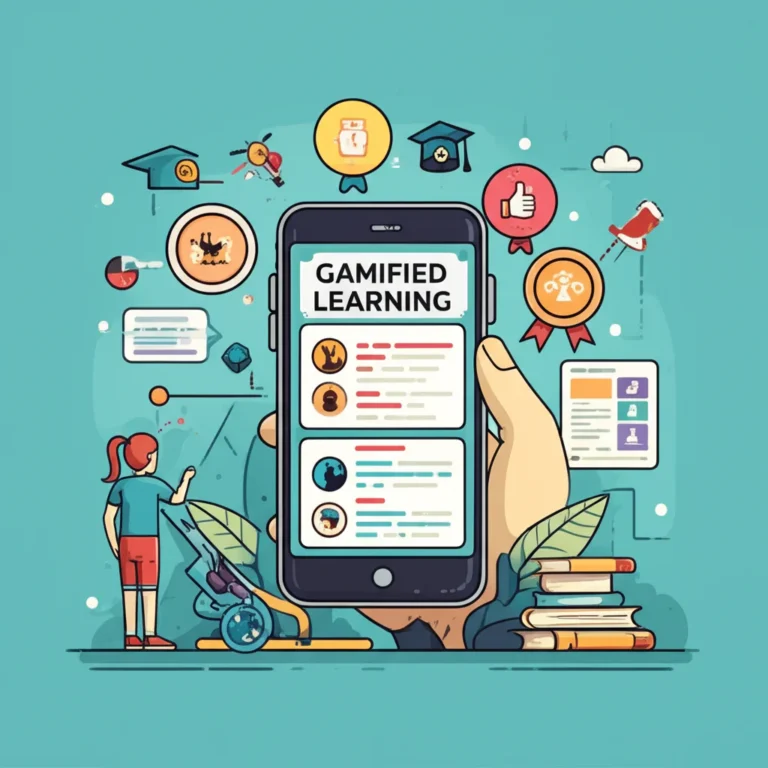
In education, gamification means applying selected game-design elements to a learning experience that is not itself a game. A teacher might use quests to structure a unit, progress bars to show mastery, or optional badges to recognize a student’s effort.
The distinction matters because criticisms of gamification sometimes get mixed up with criticism of educational games. One can use game mechanics without turning an entire lesson into a game.
Common Game Mechanics in Classrooms and Online Learning
| Mechanic | Possible learning benefit | Potential drawback |
|---|---|---|
| Points and badges | Make practice and milestones visible | Can encourage point-chasing |
| Leaderboards | Show progress or create a shared challenge | Can expose, rank, or discourage students |
| Levels and quests | Break a large task into steps | May make complex learning feel like a checklist |
| Streaks | Encourage consistent practice | Can punish illness, disability, or a missed day |
| Timers | Add urgency to short retrieval practice | Can increase stress or disadvantage slower processors |
| Teams and cooperative goals | Encourage peer support | Can create uneven workloads or social pressure |
| Progress bars | Help students see what remains | Can imply that learning is linear or fully measurable |
Mechanics are not inherently helpful or harmful. Their effect depends on what they reward, how they are presented, and who is expected to participate. For more on designing them thoughtfully, browse our game mechanics guide.
Gamification vs. Game-Based Learning
Gamification adds game elements to an existing learning activity. Game-based learning uses a game as the learning activity. A vocabulary worksheet with badges is gamified; a language-learning game where students solve challenges using new words is game-based learning.
| Approach | Example | Main design question |
|---|---|---|
| Gamification | Students earn progress markers for completing science exercises | Do the mechanics reinforce the lesson? |
| Game-based learning | Students play a simulation to explore an ecosystem | Does the game experience teach the intended concept? |
| Traditional instruction | Students read, discuss, and write about an ecosystem | Which teaching method best fits the learning goal? |
Neither approach is automatically superior. A simulation can be immersive yet confusing; a clear discussion can teach a difficult idea better than a flashy quest. Our game-based learning resources explore the distinction in more detail.
📚 How Gamification Entered Modern Education
Teachers have long used challenges, classroom roles, team activities, and visible progress to support participation. Digital learning platforms made it easier to add points, badges, dashboards, and automated feedback at scale. That convenience also made it tempting to add game mechanics before asking whether they serve the lesson.
Research reviews find that gamification’s effects vary with design, context, and outcome measured. For example, a systematic review by Sailer and Homner reported positive effects across some cognitive, motivational, and behavioral outcomes, while also emphasizing the importance of study design and context. That is not a blanket promise that any badge system will improve learning.
The difference between “gamification can help” and “gamification always helps” is where good instructional design lives. Our gamification case studies show why the details matter.
⚠️ Potential Drawbacks of Using Gamification in Education
There is a reason gamification can look fantastic in a demo and feel awkward in a real classroom: students are people, not identical avatars with identical motivation meters. The potential downsides below are risks to assess, not guaranteed outcomes.
The Peterson’s overview of gamification’s pros and cons stresses that success depends on sound design and implementation. The University of Texas Permian Basin overview likewise cautions that external rewards and competition may not suit everyone. Those cautions are more useful than either extreme: “gamification fixes school” or “games have no place in learning.”
1. Extrinsic Rewards Can Undermine Intrinsic Motivation
Points and badges can help students notice progress. But when the reward becomes the main reason to do the work, interest may weaken once the rewards disappear.
A student who enjoys solving a puzzle may start asking, “Do I get a badge for this?” That shift is not inevitable, but it is worth watching. Research on rewards and motivation is nuanced: effects depend on reward type, task, student, and context. A frequently cited meta-analysis by Deci, Koestner, and Ryan found that some expected, tangible rewards can reduce intrinsic motivation for activities people already find interesting. It does not mean that all feedback or recognition is harmful.
Design tip: Recognize strategy, revision, persistence, and collaboration—not only speed or correct answers. Use rewards as feedback, not as a substitute for meaningful work.
2. Competition and Leaderboards Can Discourage Some Students
Competition can make a quick review lively. Public rankings can also make students feel exposed, especially if the same classmates remain near the top and others have little chance to catch up.
A leaderboard measures performance on its chosen metric—not a student’s potential, effort, or worth. If it ranks speed, for example, it may reward fast recall while overlooking careful reasoning.
The UTPB article notes that “not all students thrive in competitive environments.” That is a useful reminder, not a reason to ban every friendly challenge. Consider private progress displays, team goals, personal-best challenges, or opt-in competition.
3. Points and Badges May Reward Activity Over Learning
A student can complete every task, collect every badge, and still misunderstand the core concept. This happens when the system measures completion more clearly than comprehension.
For example, awarding points for opening a lesson may boost clicks without showing whether a learner can explain the idea afterward. Learning analytics should be interpreted carefully: the U.S. Department of Education’s guide to learning analytics discusses using data to support learning while considering its limits and implications.
Ask: If we removed the points, would the activity still give students useful practice or feedback? If the honest answer is no, the mechanic may be doing too much of the teaching.
4. Poorly Designed Mechanics Can Create Stress and Anxiety
Timers, streaks, surprise penalties, and public rankings may raise the emotional temperature of an activity. A little urgency can help with a low-stakes retrieval exercise; constant urgency can make learning feel like an endless audition.
Look for signs such as students avoiding tasks, rushing without thinking, or expressing fear about losing progress. A meta-analysis of gamification in education reports positive outcomes in some settings, but the findings do not imply that every mechanic benefits every learner.
Try this: Make practice forgiving. Let students retry, pause, or use untimed alternatives where speed is not part of the learning objective.
5. One-Size-Fits-All Systems Can Exclude Learners
A single motivational system may favor students who like public recognition, rapid feedback, competition, or frequent digital interaction. Others may prefer quiet progress, choice, reflection, or collaboration.
This is not a flaw in those students. It is a signal that motivation varies. The CAST Universal Design for Learning Guidelines recommend offering multiple means of engagement, representation, and action or expression—principles that can help educators make gamified activities more flexible.
Useful options include:
- Leting students choose between individual and team challenges.
- Offering private achievement feedback instead of public rankings.
- Recognizing different kinds of contribution.
- Providing a noncompetitive way to demonstrate mastery.
6. Accessibility Bariers Can Limit Participation
A game-like interface can unintentionally create barriers for students using screen readers, keyboard navigation, captions, alternative input devices, or adjusted timing. Color-only signals, tiny controls, rapid animations, and timed interactions deserve particular scrutiny.
The Web Content Accessibility Guidelines (WCAG) provide a widely used framework for accessible digital content. In the United States, schools also need to consider applicable disability-access requirements, including guidance from the U.S. Department of Education’s Office for Civil Rights.
Before assigning a platform: test it with assistive technology where possible, review its accessibility statement, and offer an equivalent way to complete the learning objective.
7. Digital Tools Raise Privacy and Data-Security Concerns
Some platforms collect account details, performance data, behavioral signals, or student-created content. A playful interface does not make those data practices less serious.
Schools should review what information a platform collects, why it collects it, how long data are retained, who can access them, and whether they are shared with third parties. In the United States, the Federal Trade Commission’s COPA guidance explains privacy obligations involving children under 13; FERPA guidance from the U.S. Department of Education covers student education records.
Practical safeguard: Use the minimum data needed, follow school policy, and avoid requiring students to create personal accounts unless the platform has been reviewed and approved.
8. Technology Gaps Can Widen Educational Inequality
A digital challenge may assume every learner has a reliable device, internet connection, quiet space, and time outside school. That assumption can make a supposedly inclusive activity uneven from the start.
The National Center for Education Statistics tracks children’s access to computers and the internet for homework, including differences by household circumstances. Teachers can reduce access barriers by providing class time, offline options, shared devices, and alternatives that do not penalize connectivity interruptions.
9. Designing and Maintaining Gamified Lessons Takes Time
A coherent system needs more than cheerful icons. Teachers may need to map mechanics to objectives, build clear rules, test accessibility, explain the system, monitor student responses, and revise activities after using them.
Peterson’s describes effective use as dependent on design and implementation that are “well designed” and grounded in established approaches. That lines up with our experience: the work is not just making a lesson fun; it is making the fun serve a purpose.
Start with one small mechanic—such as optional progress milestones—before building an elaborate story world with 17 currencies and a dragon accountant. 🐉
10. Novelty Can Fade, Reducing Engagement
A new badge system can feel fresh at first. If every lesson uses the same reward loop, its novelty may wear off, leaving students with routine tasks plus extra interface clutter.
To keep the experience useful, vary activities based on learning goals—not simply to keep students entertained. Rotate between discussion, practice, reflection, projects, and selective game mechanics. Track whether students keep learning after the initial excitement fades.
11. Game Mechanics Can Distract From Curriculum Goals
A narrative, avatar, or leaderboard can grab attention so effectively that students focus on the game layer rather than the subject. This is especially risky when mechanics demand frequent decisions unrelated to the lesson.
The Peterson’s overview cautions that gamification may suit some learning tasks better than others, particularly when a subject involves open-ended work such as writing, inquiry, or debate. That does not mean creative work cannot be gamified. It means the mechanic should support the process—drafting, peer feedback, revision—not reduce a rich task to “collect 10 creativity points.”
12. Progress Scores Can Oversimplify Assessment
A progress bar can tell a student how many activities remain. It cannot, by itself, show whether the student can apply a concept in a new context, explain their reasoning, or revise a mistaken idea.
Use game metrics alongside richer assessment:
- Short explanations in students’ own words.
- Projects, demonstrations, or worked examples.
- Teacher observation and student reflection.
- Formative checks that reveal misconceptions.
A score is evidence, not the whole story. For useful design examples, see our educational gamification case studies.
13. Gamification Can Reinforce Unhelpful Behaviors
Students learn what a system rewards. If it prizes speed, they may rush. If it prizes the number of posts, they may post low-value comments. If it rewards constant attendance, it may penalize legitimate absences.
Before awarding points, ask:
- What behavior will this reward encourage?
- Could students achieve the reward without learning?
- Who might be unfairly disadvantaged by the rule?
- Does the reward encourage the kind of learning we want to see?
That four-question check can prevent a classroom version of “congratulations, you optimized the wrong thing.”
14. Evidence of Effectiveness Is Mixed and Context-Dependent
Research supports a careful conclusion: gamification can improve some outcomes in some contexts, but results depend on the learners, mechanics, subject, implementation, and what researchers measure. A rise in participation is not automatically proof of deeper understanding or long-term retention.
The UTPB article mentions a reported 89% increase in student performance. Treat any single headline statistic cautiously unless you can inspect the underlying study’s sample, comparison group, outcome definition, and context. One result does not establish the effect for every school or platform.
The ResearchGate page for “Exploring the Benefits and Challenges of Gamification in Enhancing Student Learning Outcomes” identifies the paper by title, but access to the full text may be restricted. We should not infer its findings or quote results that cannot be verified.
🧠 Who May Be Most Affected by Classroom Gamification?
There is no universal “gamification student.” The same mechanic can feel motivating, distracting, stressful, or simply irrelevant depending on the learner and situation.
Considerations for Younger Students and Adolescents
Younger learners may enjoy clear goals and immediate feedback, but educators should still consider screen time, privacy, age-appropriate content, and whether rewards are understandable. Adolescents may be particularly sensitive to peer comparison and public status, though individual preferences differ.
Keep the rules transparent, the stakes low, and the learning objective visible. For digital activities involving children, consult the FTC’s children’s privacy guidance and school policies.
Neurodivergent Students and Learners With Disabilities
Some learners may benefit from predictable structure, clear milestones, or immediate feedback. Others may find flashing visuals, unpredictable sounds, time pressure, or competition uncomfortable. Do not assume a particular mechanic suits every learner with the same diagnosis or accommodation.
Use accessible design, provide sensory-friendly options, and give students more than one way to participate. The CAST UDL Guidelines offer a helpful planning framework; WCAG provides guidance for digital accessibility.
Introverted, Anxious, and Competition-Averse Learners
Students do not need to be publicly ranked to show progress. Private dashboards, personal goals, anonymous polls, and collaborative missions can offer challenge without spotlighting individual performance.
Ask students how different mechanics affect them. A brief check-in—“Which parts help you focus, and which get in your way?”—can reveal issues that a leaderboard will never explain.
🔍 How to Tell When Gamification Is Hurting Learning
The key question is not “Do students seem excited?” It is “Are they learning, participating fairly, and feeling able to try?” Excitement is useful, but it is only one signal.
Warning Signs in Engagement, Achievement, and Well-Being
| What you observe | What it might indicate | What to investigate |
|---|---|---|
| Students focus on points more than concepts | The reward is overshadowing the learning | What does the scoring actually incentivize? |
| The same students dominate rankings | The format may privilege prior skill or speed | Can students track personal progress instead? |
| Participation drops after rewards stop | Motivation may depend heavily on incentives | Are tasks meaningful and appropriately challenging? |
| Students avoid timed or public tasks | Pressure, accessibility, or confidence barriers | Can the activity be untimed or private? |
| Completion rises but understanding does not | The mechanic rewards activity rather than mastery | Add explanation, transfer, and retention checks |
| Students report confusion about rules | The system adds unnecessary cognitive load | Simplify instructions and test the activity |
Questions to Ask Before Adding Game Mechanics
- What learning problem are we trying to solve?
- Why is this mechanic a good fit for that goal?
- What evidence will show that students learned—not just participated?
- Can students opt for a different path or format?
- Is the activity accessible with the tools and supports students use?
- What data does the platform collect, and is it necessary?
- What will we change if the activity creates stress or inequity?
If the answers are fuzzy, start simpler. A well-designed discussion prompt beats a complicated points economy that nobody understands.
✅ Best Practices for Using Gamification Responsibly
Tie Rewards to Meaningful Learning Objectives
Begin with the learning goal, then select a mechanic—never the other way around.
Step by step:
- Write the specific skill or understanding students should demonstrate.
- Choose a mechanic that supports it, such as milestones for revising a draft.
- Make the connection between the action and the learning goal explicit.
- Check for mastery with evidence beyond points or completion.
- Remove the mechanic if it creates more distraction than value.
Balance Competition With Collaboration and Choice
Offer a mix of individual, collaborative, and optional competitive activities. Personal-best goals can provide challenge without requiring students to beat classmates. Team goals work best when individual contributions remain visible and fair.
A classroom might use a cooperative quest for a unit review, then let students choose whether to compare scores privately or simply check their own progress. Choice is not a decorative extra; it can reduce unnecessary pressure.
Design for Accessibility, Inclusion, and Different Motivations
Use multiple ways to engage and demonstrate learning. Provide captions, keyboard-accessible controls, readable contrast, alternatives to timed tasks, and non-digital options when appropriate. Review platform accessibility information against WCAG and apply the UDL Guidelines during lesson planning.
Protect Student Privacy and Use Data Transparently
Before using a tool, check its privacy policy and school approval status. Explain what is tracked, who can see it, and how the information supports learning. Use student data minimally and follow relevant requirements, including FERPA and applicable children’s privacy rules.
Evaluate Outcomes and Adjust the System
Treat gamification as a design hypothesis: “We think this mechanic will help students practice X.” Then check whether it does.
Compare more than one signal:
- Student work and assessment results.
- Participation across different student groups.
- Student feedback about stress, fairness, and usefulness.
- Whether learning persists after rewards or novelty fade.
Our Gamification and UX Design resources explore how usability and motivation fit together. The best design is not necessarily the most elaborate one; it is the one that helps learners make progress without creating avoidable barriers.
⚖️ Gamification vs. Traditional Teaching: Choosing the Right Approach
Gamification is a teaching tool, not a teaching philosophy. Sometimes a progress quest is a great fit; sometimes clear instruction, thoughtful discussion, or quiet practice is better.
| Learning need | Approach to consider | Why |
|---|---|---|
| Repeated low-stakes retrieval practice | Short, optional game mechanics | Feedback and progress can make practice visible |
| Complex debate or open-ended inquiry | Discussion, research, and reflection | Nuance may not fit a simple scoring system |
| Collaborative problem-solving | Team challenge or cooperative game | Shared goals can support communication |
| High-stakes assessment | Clear, accessible assessment conditions | Extra competition or timers may add irrelevant pressure |
| Individual confidence-building | Private milestones and feedback | Progress need not depend on public comparison |
A video linked as #featured-video presents the positive case for gamified learning, highlighting narrative, collaboration, emotional engagement, and the appeal of game-like challenges. Those ideas can inform thoughtful design, but brain-related claims should be treated carefully: a video’s account of dopamine, memory, or neuroplasticity is not a substitute for evidence that a specific classroom mechanic improves learning. We recommend pairing engaging design with credible research, accessibility checks, and classroom feedback.
Our recommendation: Use gamification selectively, measure what students learn, and be ready to remove a mechanic that gets in the way. The question is not whether a lesson can be made more game-like. It is whether doing so makes learning better for the students in front of you.